
Growing Your Audience with Collaborative Giveaways: A Step-by-Step Guide
At Gather, we know that the most valuable asset for any modern e-commerce brand is high-quality, first-party data. But in an increasingly crowded digital landscape, acquiring that data independently can be both expensive and slow.
That’s why we’ve launched our new CoAudiences Collaborations feature.
This tool enables brands to run joint lead-generation giveaway exercises where entrants opt-in to receive marketing from a group of participating complementary lifestyle brands.
The beauty of this approach? You aren’t just growing a list; you’re collating first-party data from highly engaged audiences who have already expressed interest in your niche.
Best of all, leads are synced across all participating Gather accounts in real-time, allowing every partner to engage at the exact moment of entry.
Here is how to set up your first collaborative giveaway.
Step 1: Initiating the Partnership
In this example, we will look at how the Partner Lead (e.g., Fri Period) sets up the collaboration in Gather.
Navigate to the Partnerships section in your Gather dashboard.
Click on Partnerships and then select New Partnership.
You will see a directory of brands with active listings. Each listing typically outlines what the brand provides (e.g., "We provide product for inclusion in your giveaway. Entrants who consent to partner marketing will be synced to our CRM") followed by a short "About" paragraph.
Identify the complementary brands you want to work with and click Assign to send them a request and assign them to your partnership.
Once the brands approve your request (which they will see under their ‘Received Requests’ tab in Gather), they will appear as active partners under your Partners tab.
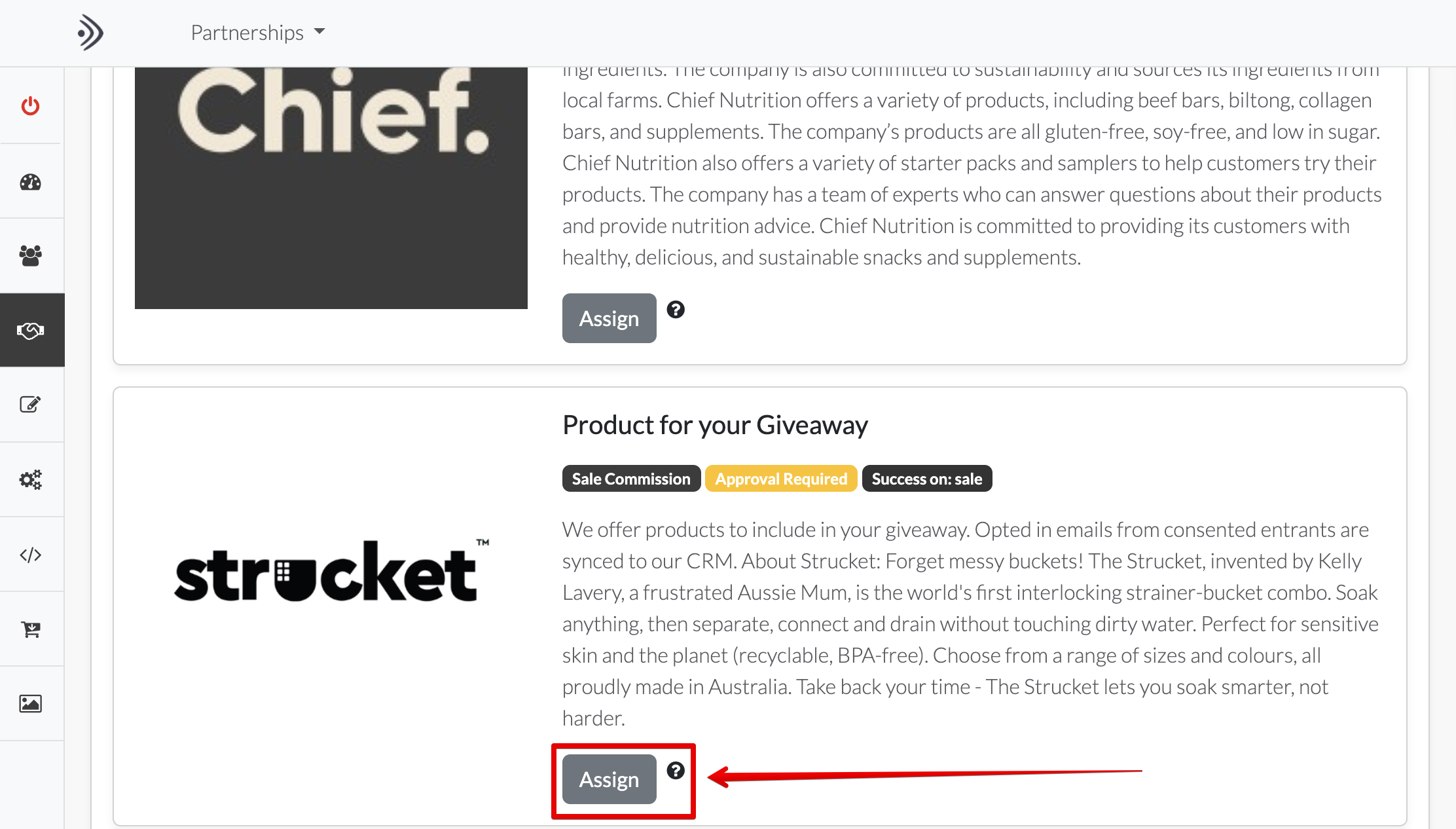
The Partner Lead selects from the active list of available partners those they want to include in their new partnership.
Step 2: Designing the Giveaway Campaign
Now that your partners are onboarded, it’s time to build the customer-facing campaign.
Create a new Giveaway Campaign within Gather (a personalised opt-in campaign).
Design your Personalised Opt-in Layer. This is the pop-up your visitors will see.
Crucial Step: Include a "Select Data" field to capture specific consent. This allows entrants to choose to enter the giveaway and receive marketing from all participating partners.
Note: Entrants should always have the option to opt-out of partner marketing while remaining on the host brand’s list.
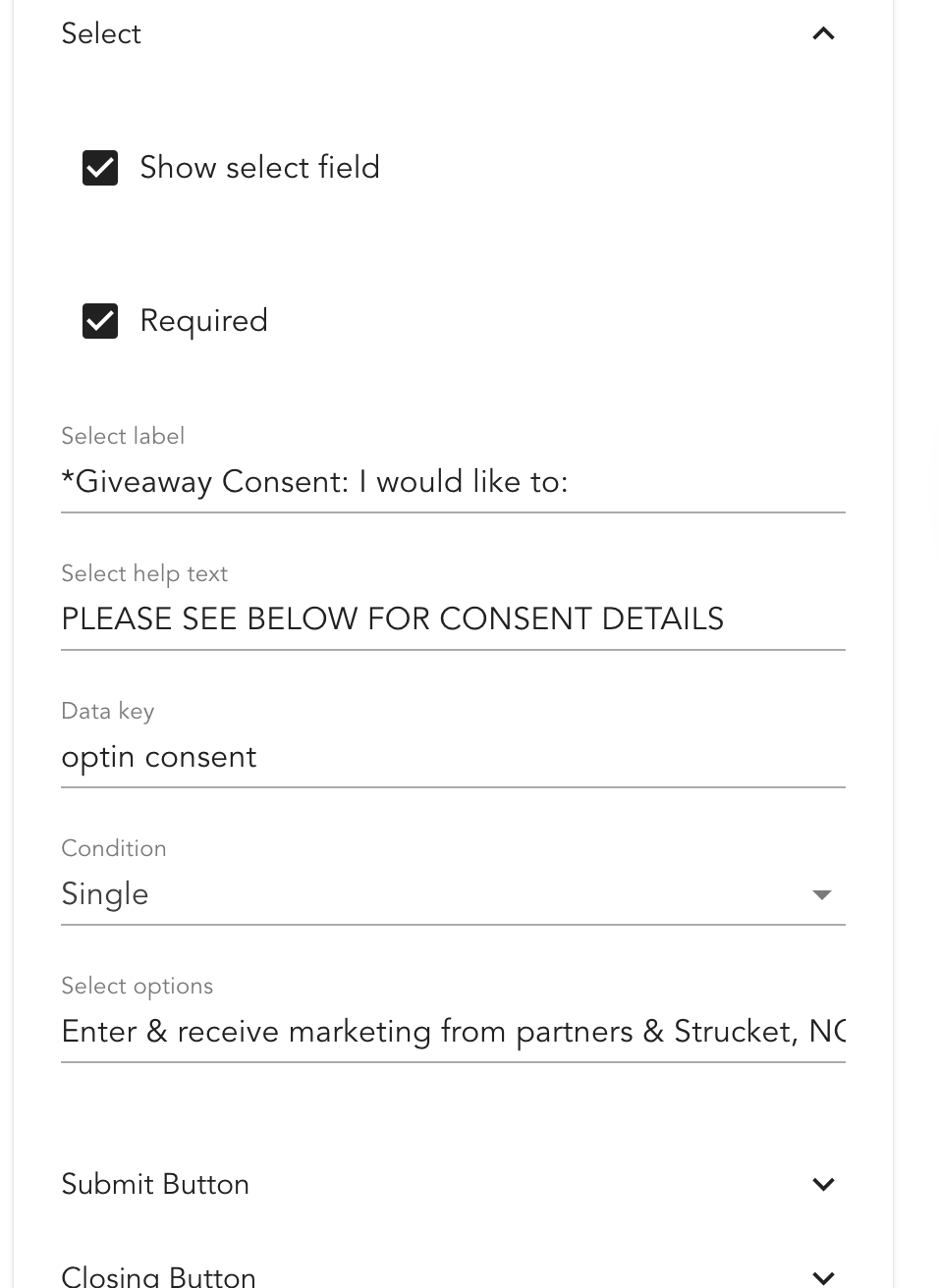
In the Design Editor of the Giveaway opt-in campaign, ensure you provide two options to leads - Consent to enter and share their data with participating brands or opt-out of the giveaway and sign up only to the host brand (to receive their reward.)
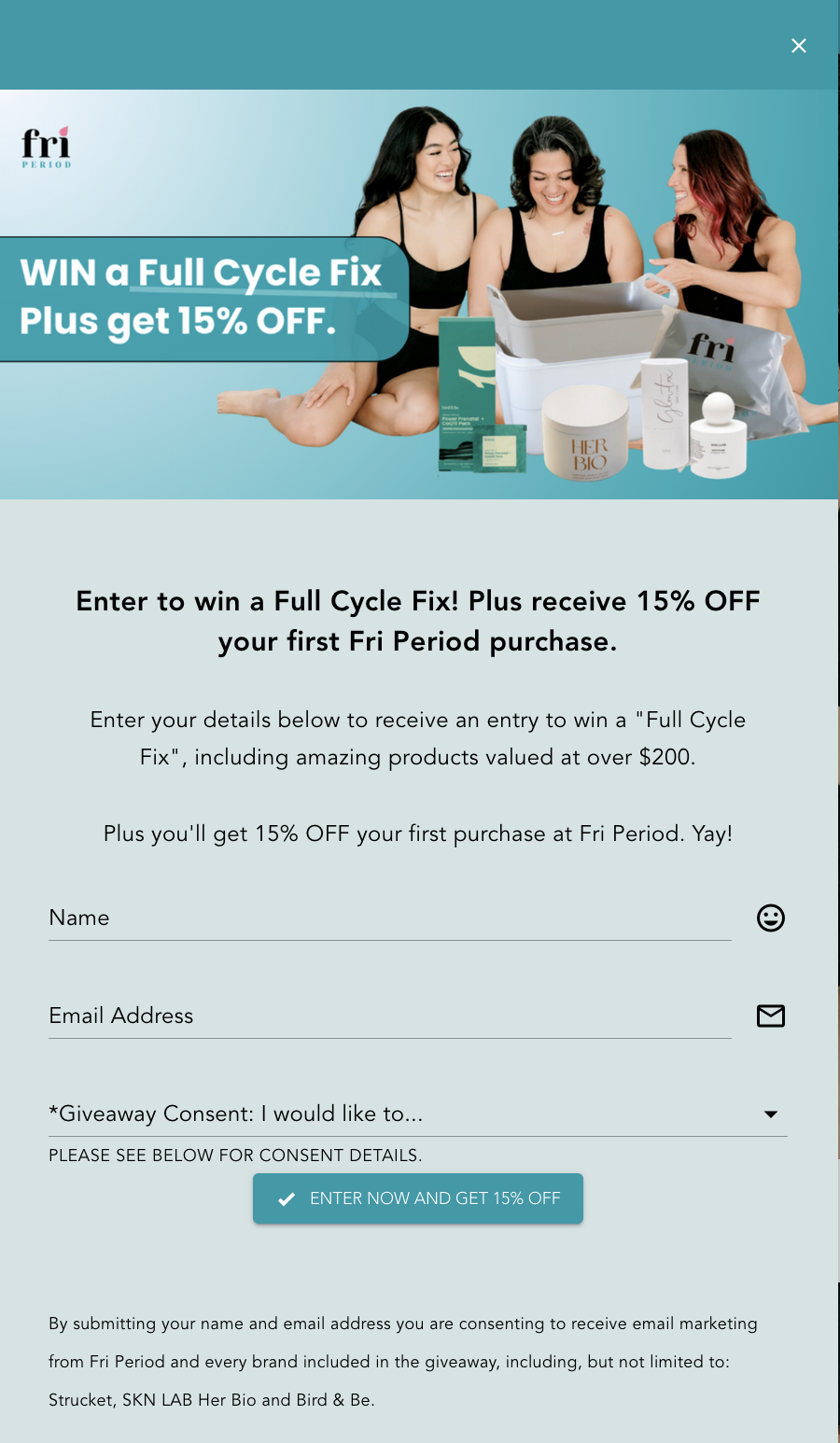
An example of the opt-in form, showing the consent box required to share data between participating brands.
Step 3: Configuring Partner Data Syncing
To ensure the right data goes to the right brand, you must configure the syncing logic.
Under the Configuration section of your campaign, click the Partner Data Syncing tab.
You will see a list of your approved partners. Assign syncing only to the brands included in this specific giveaway.
You must map the consent field correctly so brands only receive leads who have explicitly opted-in.
In the mapping interface, “0” represents the name of the first select data field on your opt-in form (e.g., ‘Enter & receive marketing from partners’). By configuring this, you ensure compliance and lead quality.
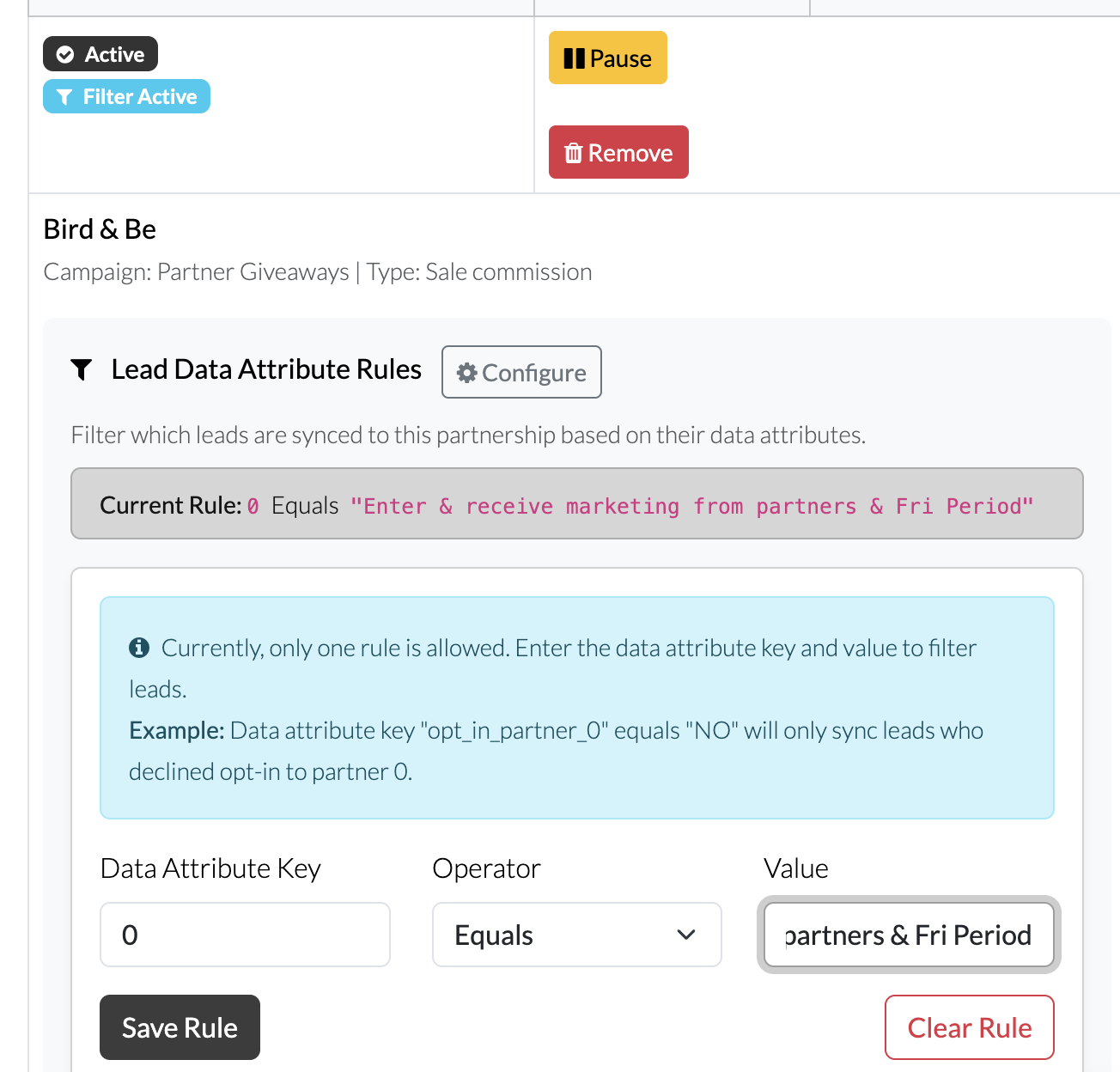
For each partner you are assigning lead data. Enter the rule so that the select data attribute where by they enter and provide consent is the rule applied. Always test this is working correctly before activating your campaign.
Step 4: Integration and Testing
Before going live, finalize your backend connections.
Set up your standard integrations (e.g., Klaviyo) for your own account.
Conduct a Test: Run a test entry through the campaign. Ask each participating brand to verify that they have received the test data only when the partner consent box was checked, and not when it was left blank.
Strategic Tips for Giveaway Success
A giveaway is only as strong as its follow-up. To maximize the ROI of your collaborative efforts, we recommend the following:
The Instant Welcome: Ensure all partners have their Gather campaigns synced to their CRM (like Klaviyo) to trigger an immediate welcome email. Including an introductory offer while the brand is fresh in the consumer’s mind is the most effective way to nurture a lead into a conversion.
The Shop App Advantage: Ensure you have Value Mapper installed alongside Gather. By using an auto-generated code, consumers who follow you on the Shop App can automatically save their welcome/reward code into a dedicated Rewards and Offers Wallet. This removes friction, making the code easy to find and use when they are ready to purchase.
By leveraging collaborative giveaways, you turn a solo marketing effort into a community-driven growth engine, securing high-intent leads and building lasting brand afinity.
Ready to start? Navigate to your Partnerships tab to see who is ready to collaborate.